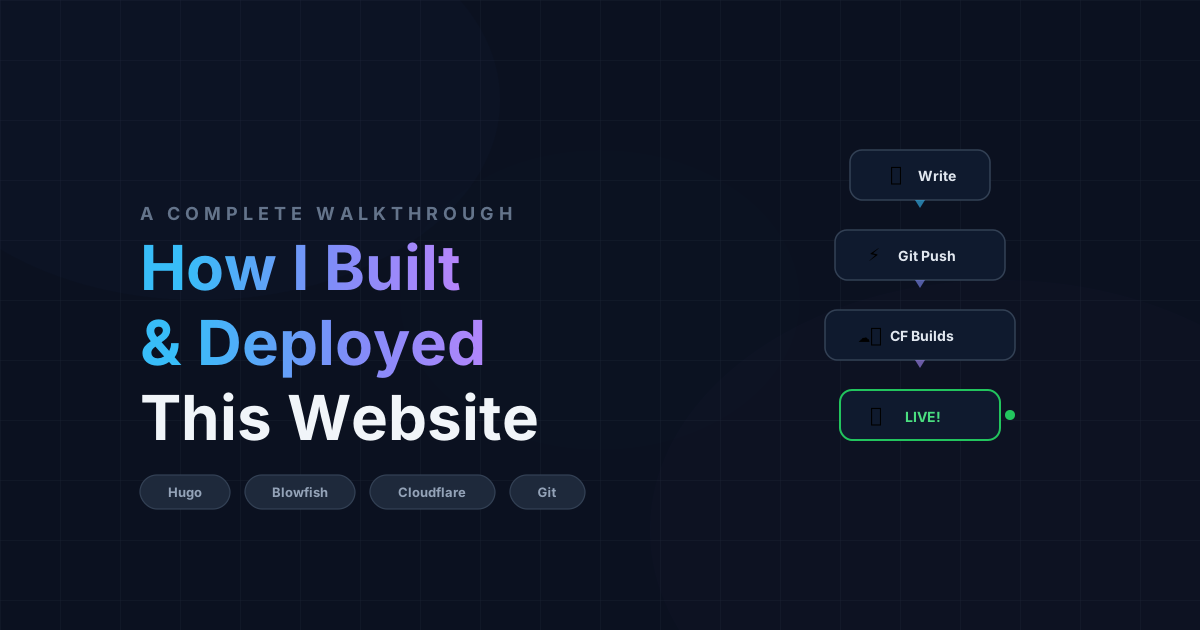

I wanted a personal website — a place to publish blog posts, share my projects, and have a professional online presence. I didn’t want WordPress, I didn’t want to pay for hosting, and I didn’t want to manage a server just for a blog.
After some research, I landed on Hugo (static site generator) + Blowfish (theme) + Cloudflare Pages (free hosting). This post walks through exactly how I set it all up.
Why Hugo?#
| Option | Why I Skipped It |
|---|---|
| WordPress | Needs a server, database, PHP. Overkill for a blog. Security headaches. |
| Ghost | Needs hosting and a database. Paid plans for managed hosting. |
| Jekyll | Slower build times. Ruby dependency. |
| Next.js | Overkill — I don’t need React for static blog posts. |
| Hugo | ✅ Fast, no dependencies, single binary, massive theme ecosystem, Markdown-based. |
Hugo generates static HTML files from Markdown. No database, no server-side code, no PHP. Just HTML, CSS, and JS files that any CDN can serve.
Why Blowfish?#
I tried several Hugo themes before settling on Blowfish. Here’s what sold me:
- Dark mode by default — looks professional, easy on the eyes
- Profile layout — homepage shows my photo, bio, and links
- Built-in features — search, table of contents, code copy, breadcrumbs, related content
- Shortcodes — timeline, alerts, GitHub repo cards, mermaid diagrams, buttons
- Responsive — works well on mobile without extra effort
- Active maintenance — regularly updated with new features
Project Setup#
Installing Hugo#
Hugo is a single binary. On Fedora:
sudo dnf install hugoOn Debian/Ubuntu:
sudo apt install hugoOn macOS (Homebrew):
brew install hugoVerify:
hugo versionMany Hugo themes, including Blowfish, require the extended version of Hugo for SCSS/SASS support.
Creating the Site#
hugo new site khadirullah.com
cd khadirullah.com
git init
Adding Blowfish as a Git Submodule#
git submodule add -b main https://github.com/nunocoracao/blowfish.git themes/blowfishUsing a Git submodule means the theme stays in its own repository. When Blowfish gets updated, I can pull the latest version without modifying my site’s code.
Blowfish also supports Hugo Modules, but I chose Git submodules because they’re simpler to understand and work well with standard Git workflows.
Configuration#
Hugo + Blowfish uses a multi-file configuration system inside config/_default/. Here’s what each file does:
hugo.toml — Core Site Settings#
theme = "blowfish"
baseURL = "https://khadirullah.com/"
defaultContentLanguage = "en"
enableRobotsTXT = true
enableEmoji = true
buildDrafts = false

[outputs]
  home = ["HTML", "RSS", "JSON"]  # JSON enables search

[sitemap]
  changefreq = 'weekly'
  filename = 'sitemap.xml'
Key decisions:
enableRobotsTXT = true— generates arobots.txtfor search enginesJSONoutput — enables Blowfish’s built-in search featurebuildDrafts = false— draft posts don’t get published
languages.en.toml — Author and Site Info#
title = "Khadirullah Mohammad"

[params.author]
   name = "Khadirullah Mohammad"
   email = "[email protected]"
   headline = "DevOps & Cloud Engineer"
   bio = "Former IT fixer turned DevOps Engineer..."
   links = [
     { github = "https://github.com/khadirullah" },
     { linkedin = "https://linkedin.com/in/khadirullah" },
     { email = "mailto:[email protected]" },
   ]
params.toml — Theme Customization#
colorScheme = "ocean"
defaultAppearance = "dark"
autoSwitchAppearance = false

enableSearch = true
enableCodeCopy = true
smartTOC = true

[homepage]
  layout = "profile"
  showRecent = true
  showRecentItems = 5
  cardView = true

[article]
  showHero = true
  heroStyle = "big"
  showTableOfContents = true
  showReadingTime = true
  sharingLinks = ["linkedin", "x-twitter", "reddit", "email"]
Key decisions:
colorScheme = "ocean"— a blue-toned dark themelayout = "profile"— homepage shows my avatar, bio, and social linksheroStyle = "big"— blog posts get a large featured image at the topsharingLinks— readers can share posts directly to LinkedIn, X, Reddit, or email
Content Structure#
Hugo uses a specific directory structure:
content/
├── _index.md              # Homepage content
├── about/
│   └── index.md           # About page
└── blog/
    ├── _index.md           # Blog listing page
    ├── block-internet-linux-apps/
    │   ├── index.md        # The blog post (Markdown)
    │   ├── featured.svg    # Hero image for the post
    │   └── media/          # Screenshots and videos
    └── introducing-diagview/
        ├── index.md
        ├── featured.webp
        └── demo.webm
Each blog post lives in its own directory. This keeps images, videos, and the post itself together — no messy /static/images/post-name/ paths.
Writing a Blog Post#
Every post starts with front matter — metadata in YAML format:
---
title: "How to Block Internet Access for Any Linux App"
date: 2026-03-25
draft: false
description: "A deep-dive guide to restricting internet..."
summary: "Block outbound internet for specific Linux apps..."
tags: ["linux", "ufw", "firewall", "security"]
categories: ["Tutorials"]
---
draft: true→ post exists locally but doesn’t get publishedtags→ appear at the bottom of the post, help readers find related contentcategories→ used for grouping (I use “Tutorials” and “Projects”)description→ used for SEO<meta>tagsummary→ shown on the blog listing page
Then the content is just standard Markdown — headings, code blocks, tables, links. Blowfish also supports shortcodes for richer content like alerts, timelines, mermaid diagrams, and GitHub repo cards.
Deployment on Cloudflare Pages#
Why Cloudflare Pages?#
| Option | Cost | Why I Chose/Skipped |
|---|---|---|
| GitHub Pages | Free | Good, Simple and reliable, but less flexible than Cloudflare Pages for build configuration and edge/CDN features |
| Netlify | Free tier | Good, but 100GB bandwidth limit on free tier |
| Vercel | Free tier | Designed for Next.js/React, overkill for static HTML |
| AWS S3 + CloudFront | Pay per use | Too complex for a blog, billing anxiety |
| Cloudflare Pages | ✅ Free tier | Global CDN, generous bandwidth limits, automatic HTTPS, custom domains, and Git-based deployments |
Setting Up Cloudflare Pages#
- Push your Hugo site to GitHub — the entire project, including content and config
- Go to Cloudflare Dashboard → Pages → Create a project
- Connect your GitHub repository
- Set the build settings:
| Setting | Value |
|---|---|
| Framework preset | Hugo |
| Build command | hugo |
| Build output directory | public |
| Environment variable | HUGO_VERSION = 0.147.6 (or your version) |
| Environment variable | HUGO_ENV = production |
HUGO_VERSION environment variable to match your local Hugo version. Cloudflare’s default Hugo version is old and may not support newer features. Check your version with hugo version.- Click “Save and Deploy” — Cloudflare builds your site and gives you a
.pages.devURL
Custom Domain Setup#
After the initial deploy:
- Go to your Cloudflare Pages project → Custom domains
- Add
khadirullah.com— Cloudflare automatically creates the DNS record (since I already use Cloudflare DNS) - Add
www.khadirullah.com— redirects to the root domain - HTTPS — automatic, no configuration needed
Automated Deployments#
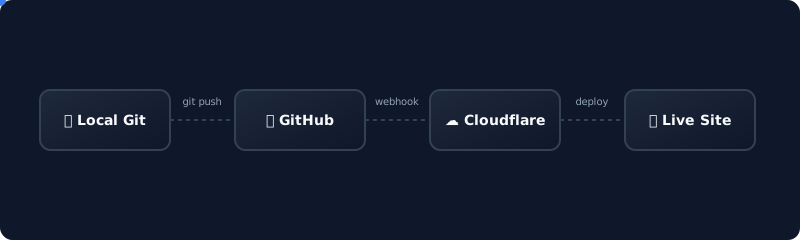
This is the best part: every time I push to the main branch, Cloudflare automatically builds and deploys the updated site. No manual steps, no SSH, no FTP.
# Write a new blog post
hugo new content blog/my-new-post/index.md
# Edit the post...

# Deploy
git add .
git commit -m "Add new blog post"
git push origin main
# Done — Cloudflare builds and deploys automatically
Build time is usually under 30 seconds. The site is live globally on Cloudflare’s CDN within a minute.
The Resume Page#
My resume is a standalone HTML page inside static/resume/index.html. It doesn’t use Hugo’s templating — it’s pure HTML + CSS with:
- Print-optimized CSS —
window.print()generates a clean PDF - Inter font from Google Fonts
- Responsive design — works on mobile
- A “Save as PDF” button — uses the browser’s print dialog
Since it’s in the static/ directory, Hugo copies it as-is to the output — no Markdown processing.
What I Learned#
- Static sites are enough for blogs — I don’t need a database, a CMS, or server-side code. Markdown → HTML → CDN. Simple.
- Git submodules for themes — keeps the theme updatable without mixing it into my code
- Cloudflare Pages free tier is genuinely usable — generous bandwidth limits, automatic HTTPS, and Git-push deploys. For a static personal site, the free tier has been more than enough.
- Content next to assets — Hugo’s page bundle structure (
post-name/index.md+ images in the same folder) is much cleaner than maintaining a separate global images directory. - Write in Markdown, publish everywhere — the same Markdown files can be rendered by Hugo, GitHub, VS Code, or any Markdown reader
The Stack#
| Layer | Tool | Cost |
|---|---|---|
| Static site generator | Hugo | Free |
| Theme | Blowfish | Free (open source) |
| Hosting | Cloudflare Pages | Free |
| DNS | Cloudflare | Free |
| Domain | khadirullah.com | ~$10/year |
| Version control | Git + GitHub | Free |
| Zoho Mail | Free tier | |
| Total | ~$10/year (domain only) |
Resources & Documentation#
If you’re interested in building your own setup like this, here are the official docs that helped me along the way:
- Hugo Documentation — The official docs for the Hugo static site generator.
- Blowfish Theme Docs — Excellent documentation for configuring the Blowfish theme, including all shortcodes and layout options.
- Cloudflare Pages — Guide on deploying frameworks and static sites on Cloudflare Pages.
The source code for this website is public: